Apex Coins
Apex Coins
FULLBOOSTS / GAME SERVICES
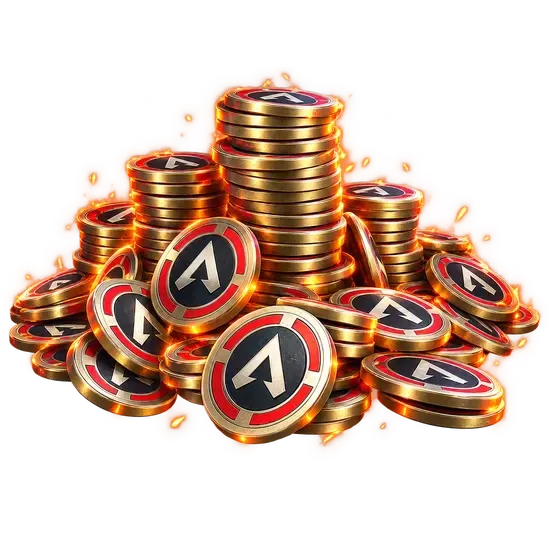
Buy Apex Coins for Apex Legends and top up your store balance without paying the full in-game price each time. A verified player handles the delivery on your account, so you can spend the Coins on legend skins, weapon skins, Apex Packs or the Battle Pass.
What you get
- The Apex Coins package you select, credited to your account
- Coin delivery handled by hand by a verified player
- Flexible packages, from 1000 up to 46000 Apex Coins
- Careful processing with order tracking and support in your order chat
- Platform support across PC, PlayStation and Xbox
- A balance ready for weapon skins, legend skins, Apex Packs and Battle Pass tiers
Requirements
- An active Apex Legends account that can receive store currency
How to set up your order
Pick a package under Choose the amount: 1000, 2150, 4350, 6700, 11500, 23000, 34500 or 46000 Apex Coins. Under Platform, choose PC, Playstation or Xbox. Completion Speed is optional: Express or Super Express puts your order higher in the queue, and the timing is confirmed in order chat before work starts.
This is a piloted service. A verified player delivers the Coins on your account, and your login details go only through the encrypted form on the order page, never in chat. Stay out of the game while the delivery is running so the session is not interrupted.
How the delivery works
Right after you place the order, the assigned player contacts you in order chat and asks you to submit your login through the encrypted form. The player then signs in, completes the top-up and reports back in the chat. Once the balance shows up, you are free to log in and shop.
What Apex Coins unlock
Coins are the premium currency of the Apex Legends store. Players spend them mostly on:
- Unlocking new Legends
- Battle Pass tiers
- Premium and event-limited cosmetics
- Store bundles and Apex Packs
Having the balance ready means you can grab limited items the moment they appear, rather than waiting on a payment that your card or region might block.
What you receive and how it is handled
The feature list is simple: manual handling by a verified player, small to large packages, and platform support for PC, PlayStation and Xbox. You receive exactly the package you chose.
Why players order Coins this way
Some players cannot pay in the store directly because of card, region or platform limits, and others simply want a lower price per Coin than the official bundles. A coin service solves both cases, and the package list lets you match the amount to what you actually plan to buy.
Related services
- Battle Royale Rank Boost: climb the ladder, then spend your Coins on a fresh look for the new rank.
- Coaching: improve your own play while the skins you bought make the lobby more fun.
- Legend's Wake bundle with 4000 damage and 20 kills: earn the badges that sit beside your new cosmetics.
- Legend's Wake 20 Bomb Badge: a 20 kills badge on any Legend to complete the profile.
- Apex Predator RP Boost: push RP toward the top of the ladder.
Frequently asked questions
What are Apex Legends Coins used for?
They are the premium currency. Spend them in the store on skins, Apex Packs, new Legends and Battle Pass tiers once the balance lands.
Is ordering Apex Coins from you secure?
Orders are processed by hand by an assigned verified player, and your login only travels through the encrypted order form, never through chat.
Can I pick the package size?
Yes. Eight packages are listed, from 1000 up to 46000 Apex Coins, so the amount fits your budget. Small top-ups are just as welcome as big ones.
Does it work on every platform?
PC, PlayStation and Xbox are all supported. Pick yours under Platform when you order.
How long does delivery take?
It depends on the package and the queue. Your timing is confirmed in order chat before any work starts.
Is there a warranty?
Yes, after your order is completed: 8 business days, or 2 business days when a top-rated booster completes it. Some top-rated boosters offer their service without a warranty. Your order page shows exactly which applies as soon as a booster is assigned; if it shows no warranty and you want one, ask support for a different booster before the work starts.
Is it safe?
FullBoosts assigns verified players and protects piloted-service logins with an encrypted form on the order page. Only you and your assigned player can access those credentials while the order is open; they are erased when the order closes or a dispute is opened. Keep logins out of chat. Where Self-play is available, you play together and keep control of your account. Every delivered order has a 72-hour review window.
How ordering works
1. Choose your service
Select your options and review the total at checkout.
2. Meet your player
FullBoosts assigns a verified player. Agree the details in order chat and follow progress in your dashboard.
3. Review the result
After delivery, you have 72 hours to confirm the work or select Report a problem. If you take no action, the order completes automatically.
Need help? Use live chat in the bottom-right corner or email.
Terms and Refund Policy
Guides for Apex Legends
No written reviews for this offer yet. Customers can review an order once it is completed.
Customize your service
Choose the amount
Completion Speed
Platform
You may also like



More Apex Legends services
Get Personalized Offer
Contact us and we’ll find the best deal or create a personalized order for you at a lower price with an immediately contact with PRO player.