OSRS Jagex Account Guide: Upgrade, RuneLite, Steam, Mobile

OSRS needs a Jagex Account since Nov 17, 2026. How to upgrade a legacy login, play RuneLite or Steam, the 50-character limit, bonuses and lost access.

Table of contents 13 sections
Since November 17, 2026, you need a Jagex Account to play Old School RuneScape. If you used to log in straight from the game client with a username or email, the game now asks you to upgrade that legacy login before it lets you play, and the upgrade can't be undone (Jagex). Players who log in with Steam, Apple, Google or Game Center can still play without upgrading. This guide covers who must upgrade, the steps, RuneLite, Steam and mobile, the 50-character limit, the bonuses, and lost-access fixes.
Checked against Jagex's "Jagex Accounts Now Required" post (November 17, 2026), the migration FAQ blog and the Jagex Support Centre on November 24, 2026.
Facts below come from Jagex's posts and Support Centre. Where the OSRS Wiki adds a detail, such as where to claim the fancier boots, it's named as the source.
Do you need a Jagex Account to play OSRS?
Yes, if you log in with a username or email in the game client. Jagex calls these legacy accounts. Since November 17, 2026, the game prompts you to upgrade at your next login and won't let you in until you do (Jagex).
Here is how each login type is affected:
| How you log in now | Do you have to upgrade to play? | Notes |
|---|---|---|
| Username or email in the game client (legacy) | Yes, before your next login | Prompted automatically |
| Jagex Account through the Jagex Launcher | No, you're already done | Nothing changes |
| Steam login | No | A Jagex Account is needed to use the Launcher or website features such as Support |
| Apple or Google login | No | Same as Steam |
| Game Center (iOS) | No | Same as Steam |
| Mobile app, still logged in on a legacy account | Not yet, but soon | Jagex says these sessions will be logged out "in the near future" and recommends upgrading now |
Jagex also says that non-Jagex logins such as Steam will eventually need a Jagex Account to manage the account and contact Player Support. It hasn't given a date for that.
If you skip the upgrade, nothing is deleted. Jagex keeps unupgraded characters safe, so you can upgrade whenever you come back.
What changes when you upgrade?
Your old username or email and password stop working, and you log in with a new Jagex Account email and password instead. Every character you import then sits under that one login (Jagex Support).
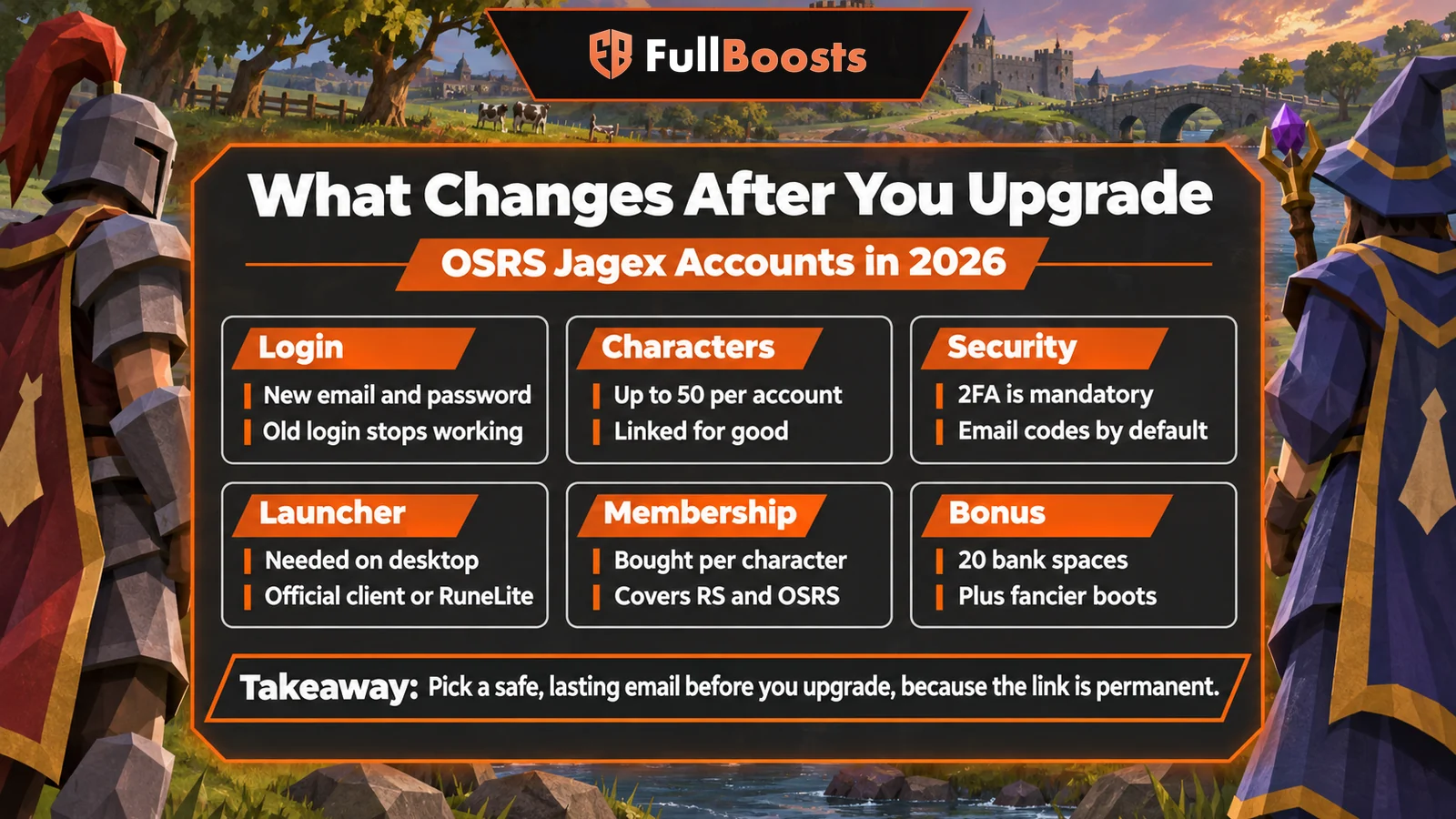
| Area | Before (legacy login) | After (Jagex Account) |
|---|---|---|
| Login | Username or email plus password in the game client | Jagex Account email and password, mostly through the Jagex Launcher |
| Characters | One character per login | Up to 50 characters under one login |
| Two-factor security | Optional authenticator | Mandatory 2FA, with email codes by default; authenticator app and backup codes optional |
| Alerts | — | Email alerts for logins on new devices and for account changes |
| Session length | — | Launcher sessions last up to 90 days |
| Membership and store purchases | Bought for that one login | Bought per character: you pick the character before you check out |
A few points matter more than they look:
- Linking is permanent. Jagex says there's "no going back" after an upgrade, and characters can't be removed once linked. You can hide a character from the Launcher in your account's character settings, but it stays on the account.
- Your existing authenticator is replaced. Upgrading swaps the character's old multi-factor setup for the Jagex Account's own 2FA. Set up an authenticator app and backup codes in your account settings if you want more than email codes.
- Membership covers both games for that character. Jagex says a membership bought for a character applies to RuneScape and Old School RuneScape alike.
- You can change the login email later. Jagex Support says the Jagex Account login email can be changed at any time.
- Character names stay. Your characters keep their names; you just pick them from a list after logging in.
- The character must be eligible to play. Jagex Support says you can't import a character that isn't eligible to play.
How do you upgrade a legacy OSRS account?
Open the Jagex Launcher (or try to log in), choose "Migrate to a Jagex account" and follow the prompts. Jagex says it takes a few minutes. To stay clear of phishing, start from the official Launcher or log in to your account settings on the RuneScape website directly, never from a link someone sends you.
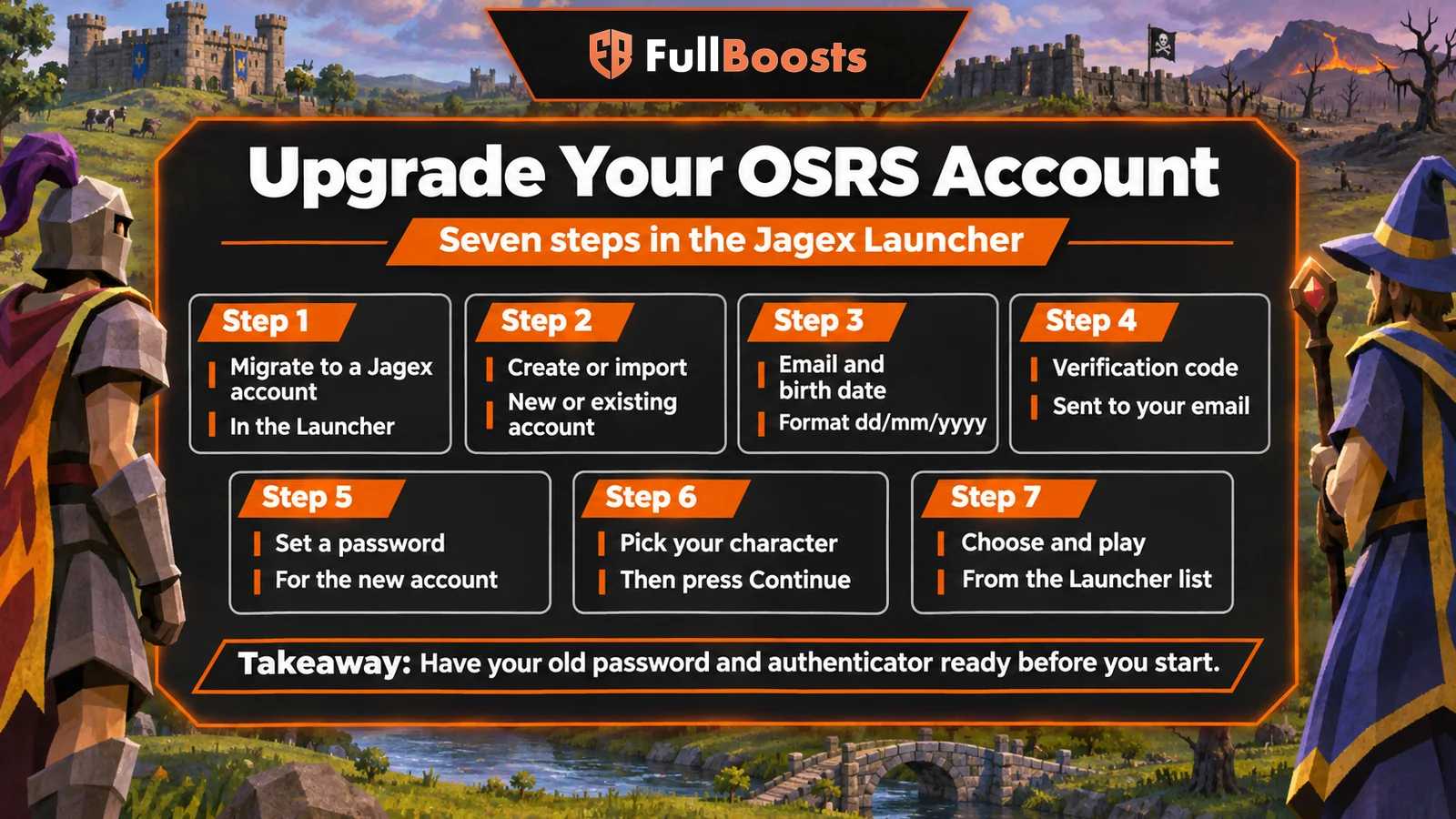
These are the steps Jagex Support lists for the Launcher:
| Step | What you do | Tip |
|---|---|---|
| 1 | Click Migrate to a Jagex account | Download the Launcher only from Jagex's or RuneScape's own website |
| 2 | Click Create a Jagex account, or Import your character now if you already have one | With an existing account, skip to step 6 |
| 3 | Enter your email address and date of birth | The date format is dd/mm/yyyy |
| 4 | Enter the verification code sent to that email | Use an inbox you'll keep long term |
| 5 | Choose a password for the new Jagex Account | This replaces your old RuneScape password |
| 6 | Select the character to import and click Continue | No character listed? Click Log in to a different character and use your legacy login |
| 7 | Pick the character in the Launcher and play | Repeat from step 6 for each extra character |
Before you start, have these ready: your legacy username or email, its password, and your current authenticator if you use one. You don't need access to the email you originally signed up with (Jagex).
Example: a player has a main and two alts, each on its own legacy email. They create one Jagex Account with a new, secure email, import the main, then use "Log in to a different character" to add both alts. All three now open from one Launcher login, and the old three logins no longer work.
How do you upgrade a Steam, Google, Apple or Game Center character?
You don't have to upgrade these to keep playing, but you need a Jagex Account to use the Launcher or Support. Jagex Support gives two routes:
| Login type | How to upgrade |
|---|---|
| Steam, Google or Apple | Log in on the Jagex website with "or log in with...", choose the service the character was made with, click the upgrade now banner and follow the steps |
| Game Center | Log in through the OSRS app, open Account Management and press Link email, then follow the prompts |
The Link email button only appears once the character has finished Tutorial Island. If you see "View inbox" instead, the character already has a legacy login email, so upgrade with that email rather than through Game Center.
Can you still use RuneLite with a Jagex Account?
Yes. RuneLite runs through the Jagex Launcher. Jagex's migration FAQ confirms that approved third-party clients still work this way, and the Launcher offers RuneLite next to the official client.
To launch it:
- Log in to the Jagex Launcher with your Jagex Account.
- Open the drop-down menu next to the Play button.
- Choose RuneLite. If it isn't installed yet, it downloads when you press Play.
Your RuneLite settings are saved, so reinstalling shouldn't wipe your setup. If you already had RuneLite and the Launcher can't find it, the files were probably moved from their original folder; Jagex Support suggests uninstalling and reinstalling the Jagex Launcher.
Jagex Support is also clear about other clients: with a Jagex Account you play through the Launcher or the mobile apps, and the Launcher supports only the official RuneScape and Old School clients and RuneLite. If you rely on any other client, check its own status before you upgrade.
Can you still play OSRS through Steam after upgrading?
Yes, but only one character per Steam account. After you import a character to your Jagex Account, you can keep playing it through Steam. The Steam link gives no access to the other characters on that Jagex Account, so use the Launcher for those, and turn on Steam Guard as Jagex recommends (Jagex Support).
Does the Jagex Account work on mobile, Mac and Linux?
Yes on all three, with Linux still in beta. Jagex Support lists Windows and macOS through the Launcher, plus the mobile apps.
| Platform | Status | Source |
|---|---|---|
| Windows | Supported through the Jagex Launcher | Jagex Support |
| macOS | Supported; an Apple Silicon version of the Launcher was announced for the end of October 2026 | Jagex |
| Linux | Linux Launcher Beta available for Old School; RuneScape support was promised for later in 2026 | Jagex |
| Mobile (Android and iOS) | Supported, with character switching in the OSRS app | Jagex |
| Work or school computers | The Launcher no longer needs elevated permissions to install | Jagex |
On mobile, reorder your characters under "edit characters" on the character management page; the first one becomes your default login. Jagex also says the Mac Launcher's minimum spec will rise next year, so older Macs may need a check.
VPN users: the Launcher used to block VPN logins. In the month before the switch, Jagex allowed VPN logins again and replaced the block with other security features. Report any login problems through Jagex's community channels.
What do you get for upgrading?
Old School characters get 20 extra bank spaces each and a pair of fancier boots (Jagex). RuneScape characters get a longer logout timer instead.
| Bonus | What it is | How to get it |
|---|---|---|
| 20 extra bank spaces | Added to every character linked to a Jagex Account | Automatic once the character is linked (Jagex) |
| Fancier boots | Cosmetic boots | Claimed from the Cradle of Life on the fourth level of the Stronghold of Security; the wiki says the account needs 2FA, which Jagex Accounts already require (OSRS Wiki) |
The OSRS Wiki notes that the 20 Jagex Account spaces are separate from the 20 spaces for setting a Bank PIN and the 20 for an authenticator. If you never set a Bank PIN, now is a good time.
What if you lost your email or authenticator?
Lost only the email? You can still upgrade. Jagex says you don't need to verify your old legacy email. Your password and your current authenticator are enough, and you can pick any email you like for the new login.
| Your situation | What to do |
|---|---|
| Lost access to the original email | Upgrade normally with your password and current authenticator, and choose a new login email |
| Forgot the password | Submit a recovery request through Jagex Player Support |
| Lost the authenticator | Submit a recovery request through Jagex Player Support |
| Lost both the email and the authenticator | Submit a recovery request through Jagex Player Support |
| Already upgraded and locked out | Use a backup code if you set them up, or follow Jagex's Jagex Account recovery steps |
| Imported characters don't show in the Launcher | Log out of the Launcher, log back in with the new credentials and check the character list; unhide any hidden character in your account settings |
Backup codes are worth setting up on day one. Jagex says they're how you sign in if your usual method fails.
How do you avoid Jagex Account scams?
Download the Launcher only from Jagex, and never type your login into another site. In its November 18 update, Jagex warned that some players had been phished through fake Jagex Launcher downloads hosted on other websites and through fake P-Mod application forms.
Jagex's own rules of thumb:
- Every official RuneScape download comes from a subdomain of jagex.com or runescape.com.
- Jagex will never ask for your password or verification codes by email or message.
- There is no P-Mod application form, so anything claiming to be one is a scam.
- Turn on 2FA for the email inbox you use as your Jagex Account login, since that inbox now protects every character on the account.
Want a hand with this?
Once your account is upgraded and secured, OSRS leveling services and OSRS quest services are listed on FullBoosts, with everything else on the Old School RuneScape page. Read Jagex's Rules of Old School RuneScape before you buy any service from anyone, FullBoosts included — a marketplace listing isn't publisher permission. A Jagex Account now holds every character you link, so think hard before sharing its login or codes with anyone.
FAQ
Is a Jagex Account mandatory for OSRS? Yes, for legacy logins. Since November 17, 2026, any character that logs in with a username or email in the game client must be added to a Jagex Account first. Steam, Apple, Google and Game Center logins can still play without upgrading.
What happens if I don't upgrade to a Jagex Account? You can't log in with that legacy character until you upgrade, but Jagex keeps it safe. You'll be prompted to upgrade the next time you try to log in.
Can I undo a Jagex Account upgrade or unlink a character? No. Jagex says there's no going back after upgrading, and a linked character can't be removed from the account. You can only hide it from the Launcher.
How many characters can a Jagex Account hold? Up to 50. Jagex raised the limit from 20 before the switch. The Launcher logs in to one Jagex Account at a time.
Does RuneLite work with a Jagex Account? Yes. Pick RuneLite from the drop-down next to Play in the Jagex Launcher, and it downloads if it isn't installed. The Launcher supports only the official clients and RuneLite.
Can I upgrade without access to my old email? Yes. You need your password and your current authenticator, not the old inbox. If you've lost the password or the authenticator, file a recovery request with Jagex Player Support.
What are the Jagex Account rewards in OSRS? Every linked character gets 20 extra bank spaces, and you can claim a pair of fancier boots. The OSRS Wiki says the boots come from the Cradle of Life in the Stronghold of Security.
Can I play several characters at once? Yes. The Launcher can run several game clients at the same time. You can't play the same character in RuneScape and Old School at once.
Sources
- Jagex, Jagex Accounts Now Required: Here's What To Do (November 17, 2026)
- Jagex, Jagex Accounts: Migration Begins Nov 17 (October 16, 2026)
- Jagex, Quest Month Week 3 & TFA Practice Mode (November 18, 2026)
- Jagex Support, Upgrade your RuneScape character to Jagex account
- Jagex Support, Jagex Accounts FAQ
- Jagex Support, Using RuneLite via the Jagex Launcher
- Jagex Support, Submit an account recovery appeal
- OSRS Wiki, Jagex Account
- OSRS Wiki, Fancier boots
- OSRS Wiki, Bank spaces